GitHub Actions
Running on GitHub Actions will automatically enable custom theming for your build log output including collapsible groups for better structuring:
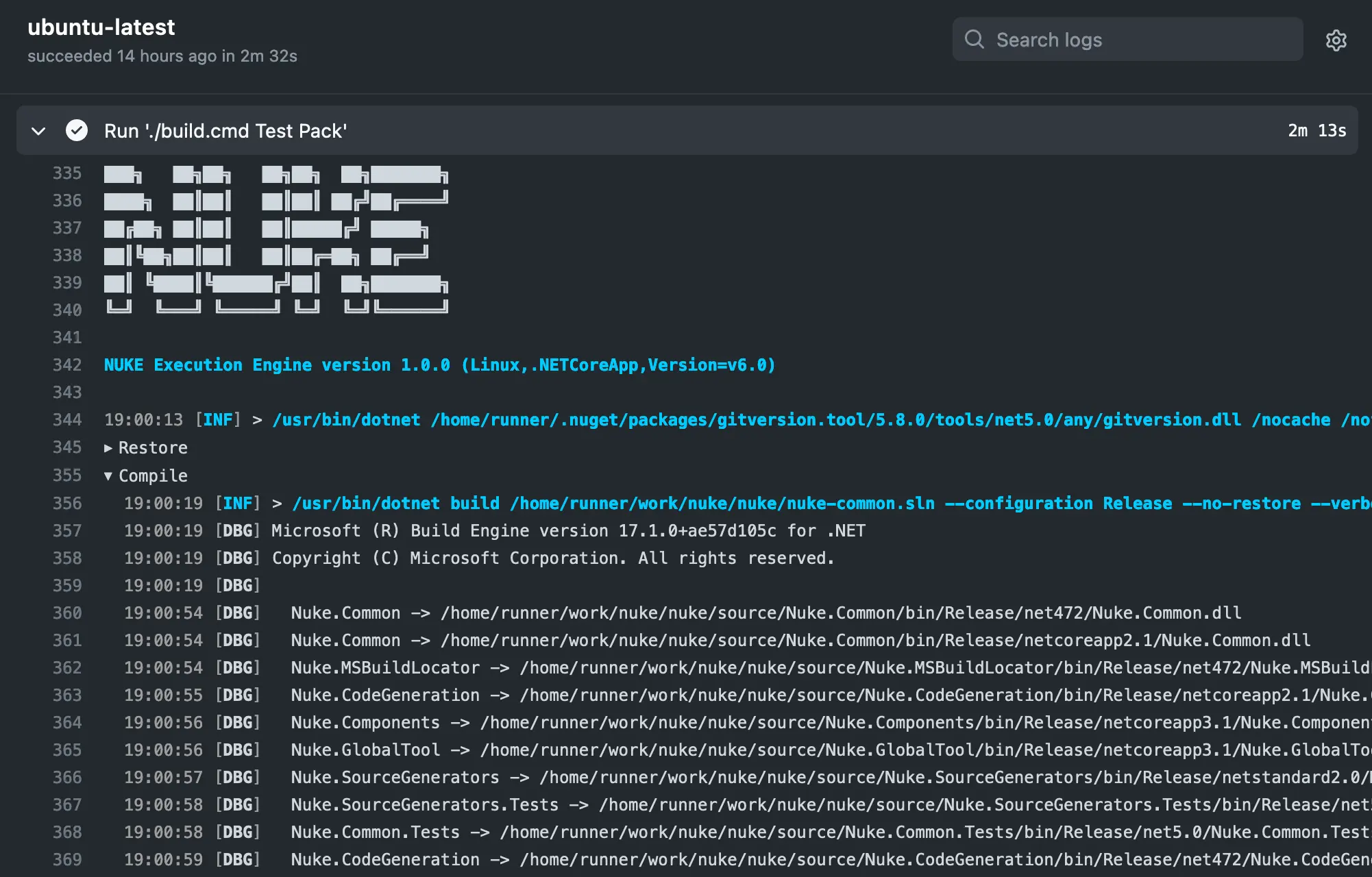
Please refer to the official GitHub Actions documentation for questions not covered here.
Environment Variables
You can access predefined environment variables by using the GitHubActions class:
GitHubActions GitHubActions => GitHubActions.Instance;

Target Print => _ => _
    .Executes(() =>
    {
        Log.Information("Branch = {Branch}", GitHubActions.Ref);
        Log.Information("Commit = {Commit}", GitHubActions.Sha);
    });
Exhaustive list of strongly-typed properties
class GitHubActions
{
    string  Action            { get; }
    string  Actor             { get; }
    string  BaseRef           { get; }
    string  EventName         { get; }
    string  EventPath         { get; }
    JObject GitHubContext     { get; }
    JObject GitHubEvent       { get; }
    string  HeadRef           { get; }
    string  Home              { get; }
    bool    IsPullRequest     { get; }
    string  Job               { get; }
    long    JobId             { get; }
    string  PullRequestAction { get; }
    int?    PullRequestNumber { get; }
    string  Ref               { get; }
    string  Repository        { get; }
    string  RepositoryOwner   { get; }
    long    RunId             { get; }
    long    RunNumber         { get; }
    string  ServerUrl         { get; }
    string  Sha               { get; }
    string  Token             { get; }
    string  Workflow          { get; }
    string  Workspace         { get; }
}
Configuration Generation
You can generate workflow files from your existing target definitions by adding the GitHubActions attribute. For instance, you can run the Compile target on every push with the latest Ubuntu image:
[GitHubActions(
    "continuous",
    GitHubActionsImage.UbuntuLatest,
    On = new[] { GitHubActionsTrigger.Push },
    InvokedTargets = new[] { nameof(Compile) })]
class Build : FalloutBuild { /* ... */ }
Generated output
name: continuous

on: [push]

jobs:
  ubuntu-latest:
    name: ubuntu-latest
    runs-on: ubuntu-latest
    steps:
      - uses: actions/checkout@v7
      - name: 'Setup: .NET SDK'
        uses: actions/setup-dotnet@v6
        with:
          global-json-file: global.json
      - name: 'Restore: dotnet tools'
        run: dotnet tool restore
      - name: 'Run: Compile'
        run: dotnet fallout Compile
The generated workflow uses actions/setup-dotnet to install the .NET SDK on the runner, then dotnet tool restore to install the Fallout.GlobalTool version pinned in .config/dotnet-tools.json, then dotnet fallout <targets> to run your build. Your repository needs a .config/dotnet-tools.json manifest with Fallout.GlobalTool pinned — fallout :setup creates one automatically.
Whenever you make changes to the attribute, you have to run the build at least once to regenerate the workflow file.
Artifacts
If your targets produce artifacts, like packages or coverage reports, you can publish those directly from the target definition:
Target Pack => _ => _
    .Produces(PackagesDirectory / "*.nupkg")
    .Executes(() => { /* Implementation */ });
Generated output
- uses: actions/upload-artifact@v7
  with:
    name: packages
    path: output/packages
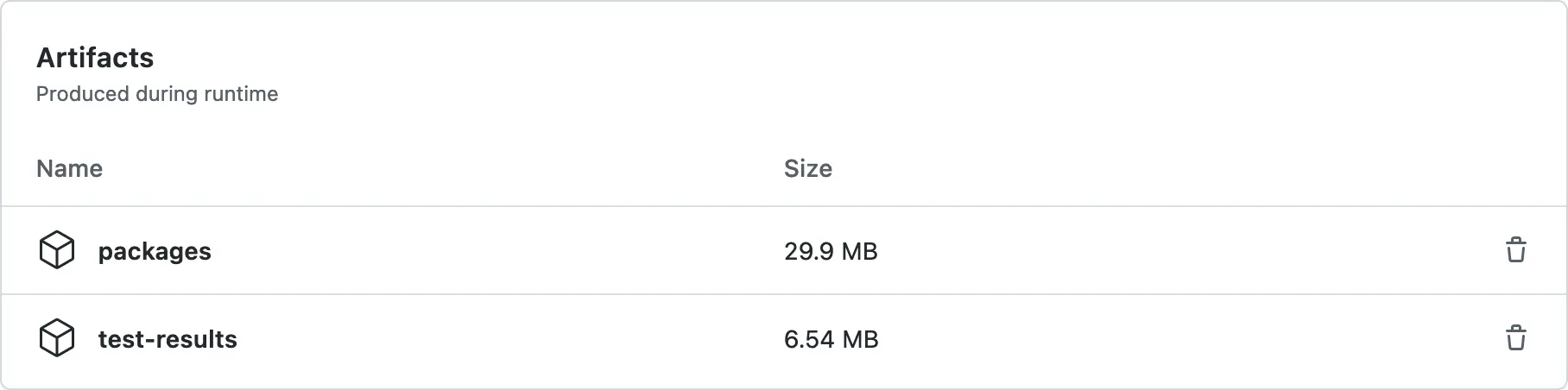
After your build has finished, those artifacts will be listed under the Summary tab:
Importing Secrets
If you want to use encrypted secrets from your organization or repository, you can use the ImportSecrets property to automatically load them into a secret parameter defined in your build:
[GitHubActions(
    // ...
    ImportSecrets = new[] { nameof(NuGetApiKey) })]
class Build : FalloutBuild
{
    [Parameter] [Secret] readonly string NuGetApiKey;
}
Generated output
- name: 'Run: Publish'
  run: dotnet fallout Publish
  env:
    NuGetApiKey: ${{ secrets.NUGET_API_KEY }}
If you're facing any issues, make sure that the name in the GitHub settings is the same as generated into the workflow file.
Using the GitHub Token
For every workflow run, GitHub generates a one-time token with adequate permissions that you can use to authenticate with the GitHub API. You can enable the GitHub token in your attribute as follows:
[GitHubActions(
    // ...
    EnableGitHubToken = true)]
class Build : FalloutBuild
{
    GitHubActions GitHubActions => GitHubActions.Instance;

    Target Request => _ => _
        .Executes(() =>
        {
            Log.Information("GitHub Token = {Token}", GitHubActions.Token);
        });
}
Generated output
- name: 'Run: Publish'
  run: dotnet fallout Publish
  env:
    GITHUB_CONTEXT: ${{ toJSON(github) }}
Caching
By default, the generated workflow file will include a caching step to reduce the time for installing the .NET SDK (if not preinstalled) and restoring NuGet packages.
Generated output
- name: 'Cache: .fallout/temp, ~/.nuget/packages'
  uses: actions/cache@v6
  with:
    path: |
      .fallout/temp
      ~/.nuget/packages
    key: ${{ runner.os }}-${{ hashFiles('**/global.json', '**/*.csproj', '**/Directory.Packages.props') }}
You can customize the caching step by overwriting the following properties:
[GitHubActions(
    // ...
    CacheKeyFiles = new[] { "**/global.json", "**/*.csproj" },
    CacheIncludePatterns = new[] { ".fallout/temp", "~/.nuget/packages" },
    CacheExcludePatterns = new string[0])]
class Build : FalloutBuild { /* ... */ }
Pinning Action Versions
The generated workflow references four marketplace actions. Each one is overridable, so a new action release never has to wait on a Fallout release:
| Property | Action | Default |
|---|---|---|
CheckoutAction | actions/checkout | v7 |
CacheAction | actions/cache | v6 |
SetupDotNetAction | actions/setup-dotnet | v6 |
UploadArtifactAction | actions/upload-artifact | v7 |
A value containing an @ is a complete reference and is emitted as-is; anything else is a bare ref and gets appended to the default action:
[GitHubActions(
    // ...
    CheckoutAction = "v8",                                                   // actions/checkout@v8
    CacheAction = "0c907a75c2c80ebcb7f088228285e798b750cf8f # v4.2.4",       // SHA pin, version as comment
    UploadArtifactAction = "my-org/upload-artifact@v7")]                     // fork or drop-in replacement
class Build : FalloutBuild { /* ... */ }
Both forms take a trailing # comment, which is what makes the SHA-pinning idiom above readable. The comment is split off before the value is classified, so a slash or an @ inside it changes nothing.
A ref that itself contains a / — a branch like releases/v1 — reads exactly like an owner/repo, so it needs a leading @ to disambiguate:
CheckoutAction = "@releases/v1"     // actions/checkout@releases/v1
CheckoutAction = "releases/v1"      // error: ambiguous, names neither form
actions/cache@v5 and later run on the node24 runtime and require a self-hosted runner of at least 2.327.1. Set CacheAction = "v4" if your runners are older.