Managing Secrets
import AsciinemaPlayer from '@site/src/components/AsciinemaPlayer';
Historically, secret values like passwords or auth-tokens are often saved as environment variables on local machines or CI/CD servers. This imposes both, security issues because other processes can access these environment variables and inconveniences when a build must be executed locally for emergency reasons (server downtime). Fallout has an integrated encryption utility, which can be used to save and load secret values to and from parameter files.
:::info Cryptography Our encryption utility uses AES-256-GCM with PBKDF2-SHA256 at 600,000 iterations (OWASP 2023 recommendation) for key derivation. Each encrypted value carries a fresh random 16-byte salt and a fresh random 12-byte nonce. The 16-byte GCM authentication tag means tampered ciphertexts are rejected on decrypt.
Encrypted values are prefixed v2: to mark the format version.
Legacy v1: values (from earlier versions: static salt, 10,000 iterations, AES-CBC with KDF-derived IV, no authentication) are still decrypted for backward compatibility, but all new encrypts emit v2:. Re-saving any secret through fallout :secrets rewrites it in v2 form automatically — there's no separate migration step. See #212 for the security audit that drove the v2 format.
:::
Adding & Updating Secrets
You can start managing your secrets by calling:
# terminal-command
fallout :secrets [profile]
When your parameter file does not contain secrets yet, you'll be prompted to choose a password. Otherwise, you have to provide the original password chosen.
On macOS you can also choose to generate a password and save it to your keychain in order to profit from native security tooling.
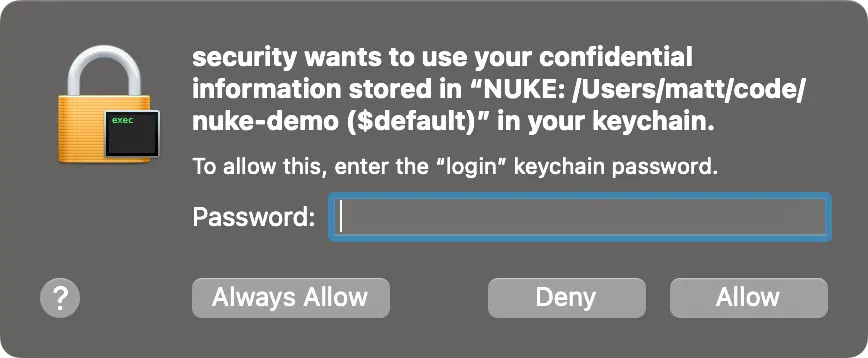
Afterwards, you can choose from a list of secret parameters, to either set or update their values, and finally accept or discard your changes:
When secrets are saved to a parameters file, they are prefixed with v1: to indicate the underlying encryption method:
{
  "$schema": "./build.schema.json",
  "NuGetApiKey": "v1:4VDyDmFs4Pf6IX8UvosDdjOgb23g0IXs0aP/MBqOK+K6TB8JuthtPgRUrUsi9tLD"
}
Removing Secrets
If you want to delete a secret, you can simply remove it from the parameters file. In the event of a lost password, you have to remove all secrets and re-populate the parameters file via fallout :secrets.